Don’t click the link. Don’t do it. You will never get that song out of your head.
Aw.
Second, we have these students, see, who thought they were being interviewed for a graduation video. Well, they were. But what they didn’t realize is that in every interview, their teachers at Ogden High, in Ogden, Utah, were dancing up a storm behind them.
Well played, teachers.
And lastly, this chemistry teacher raps over a Rick Ross beat to get his students into stoichiometry (which I just had to go look up, so there’s another brain moved by this video).
EPIC STOICHENTATION.
So. What other things are educators getting up to on YouTube?
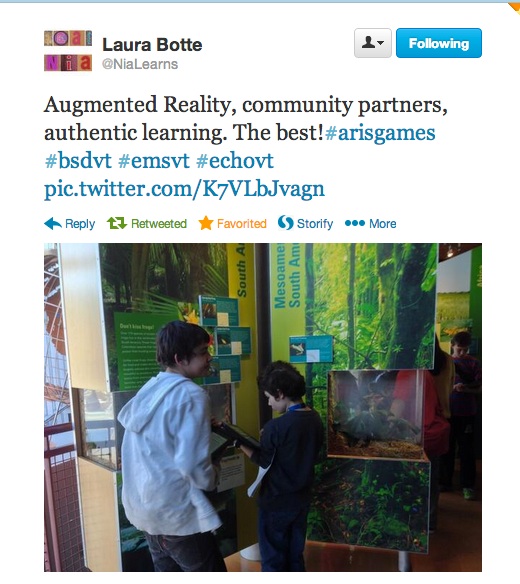
Following up on our intro to ARIS with geometry last Friday, this morning the 6th graders from Edmunds Middle School spent some time at the Echo Lake Aquarium and Science Center working through “Frogworld”, a demo ARIS game that made use of items at the Echo Center. After they played the game, they spent some time with the rest of the (non-frog) exhibits, collecting ideas for items they could incorporate into their own games.
We’re back at it tomorrow at Echo with another class of 6th graders. More news as it develops.
Pop quiz, hotshot. What do geometry, aliens and the augmented reality gaming platform all have in common?
A: All were spotted last Friday at Edmunds Middle School in Burlington.
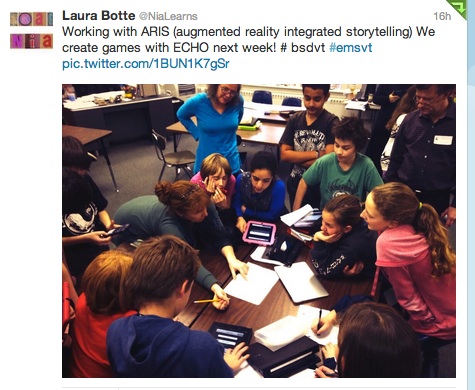
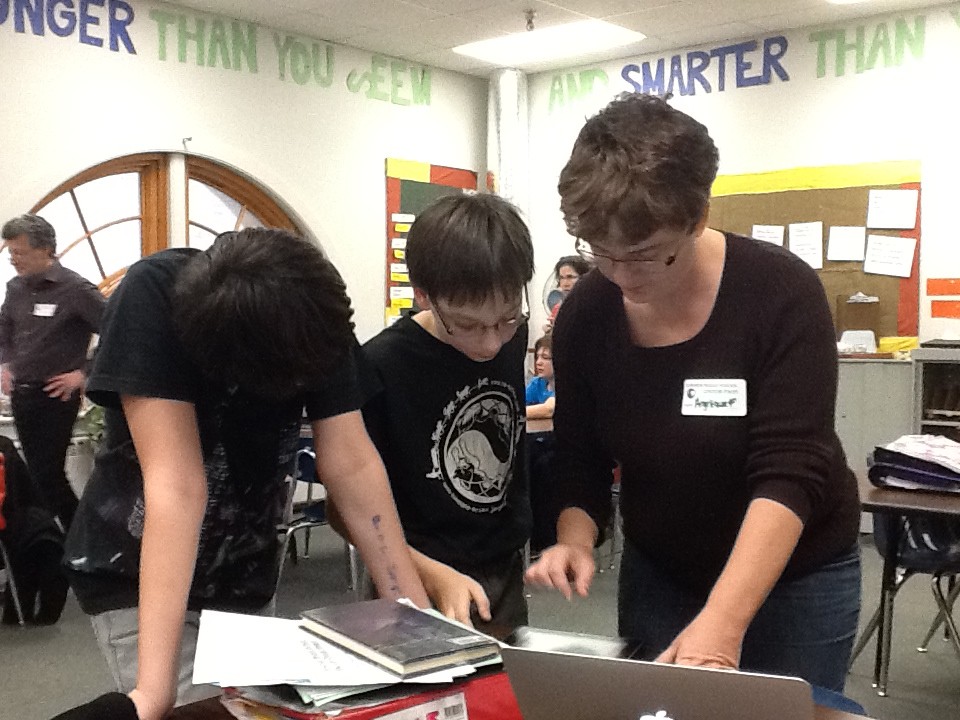
As part of a unit on exploring place, educators Laura Botte and Katie Wyndorf are having their students work with the free iOS app ARIS, an open-source game-creation platform. To kick things off, they collaborated with Angelique Fairbrother, technology coordinator for Franklin West SU, in bringing an introductory ARIS game into Edmunds’ classrooms. And out into the hallways. Also sometimes under the desks and on top of the lockers.
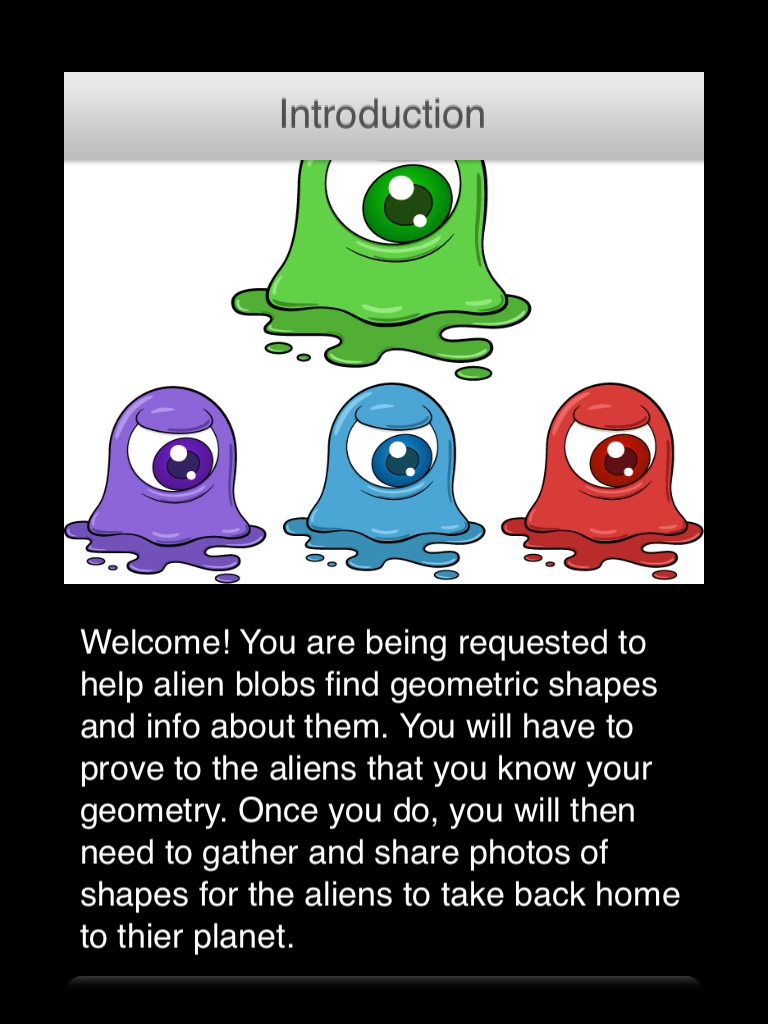
The two classes of 6th graders played “Shape Invaders”, a game where aliens ask for help with geometry. Students had to locate and scan QR codes scattered around the school, using them to collect various shapes. In order to keep the aliens happy, students then calculated the perimeter and area of each shape.
Students worked in teams to solve the clues necessary to come up with the area and perimeter of each shape — skills not usually encountered in 6th grade math. With a little help and a whole lot of persistence, the aliens were appeased and the students got an introduction to the ARIS platform.
Next week, the Edmunds students will be heading to the Echo Lake Aquarium and Science Center to build their own ARIS games around the themes of culture, ecology, history and sustainability.
FWSU technology coordinator Angelique Fairbrothers introduces two Edmunds students how to make changes to the game in ARIS’ web-based editor.
John Downes and Penny Bishop lead the Tarrant Institute for Innovative Education at UVM.
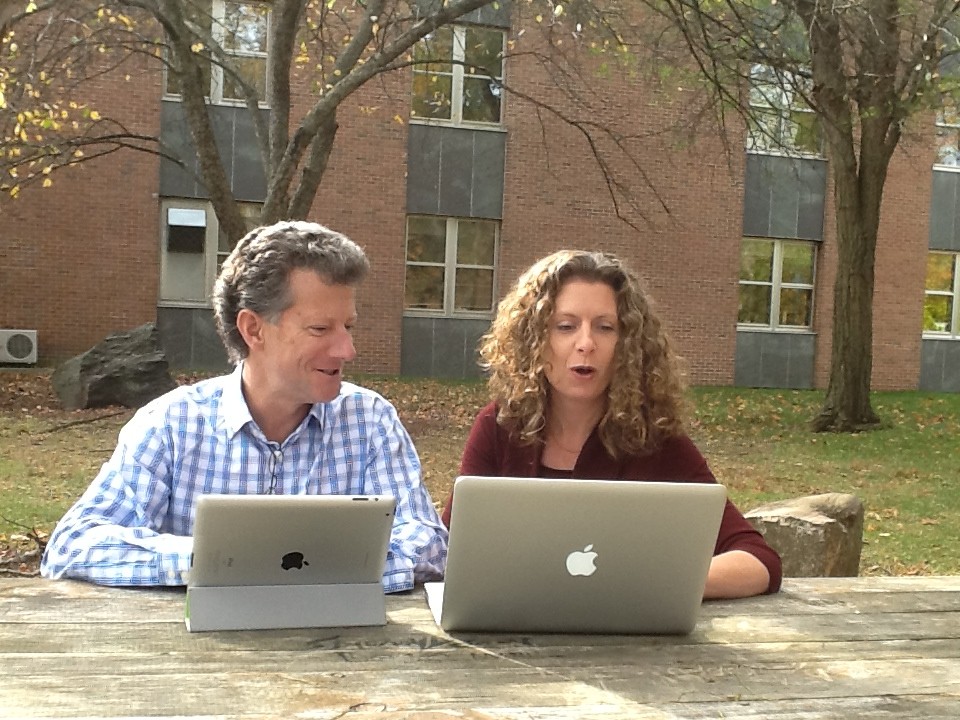
Welcome to our new twice-monthly column highlighting best practices for digital middle schools from a leadership perspective. Twice a month, Tarrant Institute director Penny Bishop and associate director John Downes will share their insight into what they’ve seen make a lasting and profound difference in technology integration with 21st century middle schools.
In this first installment of a 2-part column, they’ll address a critical but often under-addressed component of a successful digital middle school: the family.
As schools adapt to the digital age and integrate Bring Your Own Device (BYOD) programs, interactive whiteboards, handheld devices, and 1:1 computing and learning management systems, classrooms have begun to look less and less like those in which most of today’s parents were educated. Generations of parents have struggled to support their child’s learning; today’s parents face even steeper challenges.
How can educators capitalize on the promise of technology and engage families in new and better ways? What does it mean to increase family engagement in the digital age?
Across the many increasingly hi-tech schools we’ve examined, teachers are answering these questions with exciting new family engagement strategies.
In this installment, we’ll look at two: creating “trans-parent” classrooms, and supplementary guides.
Trans-Parent Classrooms
One team we know is launching a blog to showcase technology-rich work that students post daily from the classroom. The team will ask trusted parents to seed the blog with thoughtful and supportive comments, providing students with a new and respected audience for their schoolwork and modeling constructive and civil online dialog. At the same time, the blog offers families a window into the work of a 21st century team, demystifying the novel opportunities granted by current technologies and sparking rich conversations about technology and learning.
Many teams use Google Forms or other online survey tools to probe parents about the successes and challenges of 1:1 learning at home. Teams poll families on the relative importance of various parenting issues — monitoring use of social media, encouraging healthy online identities, for instance — and can get instant feedback for analysis and integration into their lesson plans and classroom communities.
Much as the middle school movement has encouraged student voice to enhance the relevance of curriculum, teachers can use parent input to inform their family information nights, and the ongoing development of their online parent resources.
Teachers can guide parents toward helpful tools and strategies to navigate this digital age. Team newsletters, portal resources and parent events can all promote family conversations about current issues facing students in their complex online worlds.
Supplementary Guides
Some teachers link parents to ready-made resources like those hosted by Common Sense Media, such as parenting tip sheets or advice videos. But rather than flooding parents with information, skilled teams curate these resources and steer families to those that most directly address their concerns.
Some teams also provide families with templates for home media use agreements that foster parent-child conversations — and ultimately written agreements — about online safety, social media behavior and balancing media use with other aspects of life.
When families participate in take-home 1:1 programs, these agreements can dictate privacy settings, expectations for the “care and feeding” of their school-issued device, and shape when and how long a child can be online. Teams can require that students return a copy of their signed home-use agreement, along with a video interview with the family about their agreement, thereby ensuring these critical conversations take place. They may assign semi-annual updates to the home agreements, pushing families toward ongoing and constructive dialog about technology in family life. These practices acknowledge the powerful influence technology has in homes today, its centrality to powerful learning in and out of school, and the new challenges confronting the vital home-school connection.
Next time: making parents partners in teaching, and the crucial role of volunteering, as our look at 21st century family involvement continues.
—
Penny Bishop is the director of the Tarrant Institute for Innovative Education and a professor of middle-level education in the College of Education and Social Services at UVM. John Downes is the associate director of the Tarrant Institute and a member of the Partnership for Change board.
Each resource corresponds to an 8th grade Common Core standard, and they’d love feedback on their site, especially from any teachers who incorporate some of the resources into their classroom.
A big thank-you to the two of them for being so willing to share their work!
Julia Melloni, the Middle School Religion teacher at Mater Christi School in Burlington, worked with her students on “blending ancient Scripture with modern technology”. She used the iOS app PuppetPals2 to promote student learning, collaboration, and creativity.
From Ms. Melloni:
The lesson addressed reading comprehension of Jesus’ teachings in the Bible as well as the depth of these moral teachings. Students worked in small groups to identify a parable that they wanted to explore. A script was written by students that included citing chapter and verse and dialogue of actors. PuppetPals2 was used for the students to act out Jesus’ lessons.
All the PuppetPals2 videos were uploaded to an unlisted class YouTube account and we watched them together as a class. A parables quiz was assigned with the videos as a study guide. Students were encouraged to watch the videos which were accessed through our religion home page. Students enjoyed the comical antics of their classmates acting out scenarios from the Good Samaritan, the Two Foundations, Weed among the Wheat, and more.
The final question on the students’ quiz was to offer feedback on using the app. The resounding response was joyful!
One of the students in the class commented, “I liked it because it let us use technology…it helped me remember what we needed to learn in a short amount of time.” Another said, “I thought it was a good way to express religion through technology. It was very fun to work with my friends.”
Thank you to Ms. Melloni and her students for sharing some of their videos!
Show of hands, who’s planning on attending the EdTech Teacher iPad Summit in Boston this week? Hm?
While you’re there, make sure to catch TIIE’s Susan Hennessey, presenting with HUMS educators on their groundbreaking work with Evernote on the iPad for e-portfolios. Proficiency-based graduation requirements have never seemed so bewitching…
Mirror, Mirror…Student Self-assessment and ePortfolios through the iPad Looking Glass
Meet Theresa White. She teaches 4th and 5th grade at Roxbury Village School, and this past summer, in preparation for her school going 1:1 with iPads, she took Susan Hennessey’s Emerging Technologies course, and as a result, shared this 5-minute lesson on getting up to speed with Google Drive on the iPad.
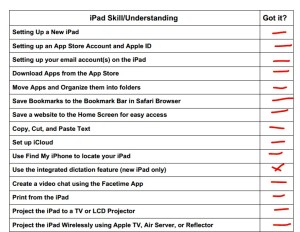
Bonus: she’s also shared her iPad skills checklist, for students (and teachers) to check off each new skill they master on the iPad. Thanks Mrs. White!
Peoples Academy Middle Level (PAML) educator Joe Speers returns with an explanation of how PAML uses Google Drive on iPads to arrange and organize student folders of work. It’s a fascinating video for anyone working in or considering implementing 1:1 with iPads.
Last week Dan Treinis and I each received Maker Bot Replicator 2s, underwritten by the Tarrant Institute. We are working in parallel to roll out the new technology with our middle school students at Edmunds and Hunt Middle Schools.
We began last week by introducing the technology to each of our classes with live demonstrations and a short how-it-works introduction.
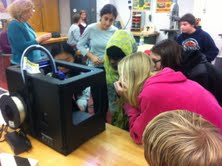
Students at Edmunds Middle School examine their new 3D printer.
At the end of each class we raffled off the completed piece and the students loved it!
The Maker Bots came pre-loaded with an SD card that had several designs that we could print to test the machine. The initial setup was relatively easy so our next challenge is installing the makerware on our computers. The makerware traces the 3D models students create, then writes the code that the Maker Bot uses to precisely deposit the extruded plastic filament.
Both Dan and I are very familiar with Google Sketch Up and so are our students so we hope to use Sketch Up to create the models that we will print with the Maker Bot. So far I have been very impressed with the quality of the print and reliability of the machine.
More to come as we begin printing our own work this week!
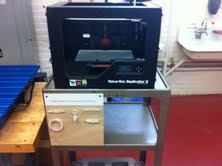
The new 3D printer.
To put it mildly, our students are very excited about having access to
this new technology!
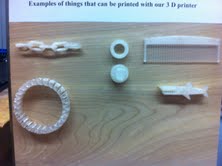
A close-up of some of the items that have already been printed on the 3D printer: clockwise from top left are a chain, a threaded nut and bolt, a comb, and a bracelet.
Emily Howe joined the Tarrant Institute this past summer as our first ever pre-service teacher intern. She was instrumental in pulling off Code Camp, and actively assists in our research. For her first blog post, Howe answered the question:
Describe a situation in which you feel instruction could’ve benefited from the appropriate integration of technology. Was that technology accessible?
In response, she described a watershed moment for her during her placement in a local school.
This semester, I’m in my first placement for the secondary education program here at UVM. I’m in a middle school right now, and last week I was able to sit in on a common planning time meeting amongst the teachers on the team that I am observing. As a part of their physics unit, the students are working on a project where they have to construct a functioning trebuchet or catapult. During this meeting, one of the topics being discussed was how the teachers would assess the final projects; one idea was to have the students create a video about their device.
The logistics of this type of assessment became an immediate concern.
How would the students film their catapult in action? What kind of camera would they use? Would an iPad suffice? What about editing? Are the students proficient enough in the use of these kinds of technology to execute a final product? Do the teachers know enough about it to offer adequate support? Would this just further (and perhaps unnecessarily) complicate an already difficult task?
My time in the classroom was up before a final conclusion was reached, but this conversation got me thinking about how education technology really looks and operates in practice.
While it is easy to argue for the integration of technology into the physical space of a classroom, it’s certainly harder to execute this integration into the curriculum itself.
And while I understand that it is kind of a no-brainer statement to make (I mean as with anything, it tends to be easier to talk about something than to put it into action), you could call this my lightbulb moment when it comes to education and technology.
That being said, I’d argue that my belief in the value of integrating technology at a curricular level isn’t a lofty or naive ideal.
And even if it is, I’d argue that it’s worth pursuing anyway.
In this particular classroom, laptops are frequently used to support inquiry based learning; combined with their use of a document camera and projector to display student work, it is clear that technology is an important part of how this team functions. But taking that next step towards making curricular changes that incorporate technology requires what can feel like a major leap of faith. In this specific instance, having the students make a video about their physics projects would create an opportunity for them to reflect on the learning process.
In addition to providing students with the proper technological tools, it would also be necessary to have instruction on how to film and edit videos. To do so would take time out of the classroom, require additional professional development, and necessitate access to a new set of resources, but the benefits are certainly significant.
Having this type of technology available in the classroom — and in the curriculum — would create a unique learning opportunity. Students would be able to elevate their inquiry-based learning and discover an entirely new cross-disciplinary connection between their video (the arts) and their physics projects (the sciences).
So, while it may be difficult to do, I believe this stands as an instance where the presence of technology could make a significant difference in student learning.
—
Emily Howe is pursuing a dual degree in Secondary Education and History with a minor in Special Education. She works with incoming first year students at UVM in the Honors College as a Peer Leader, and as a tutor in the UVM Writing Center. She’s also involved with Service TREK and Alternative Spring Break, and enjoys cooking, playing guitar, and going to Zumba classes in her spare time. You can reach Howe by email at ehowe2@uvm.edu.